Have you ever wondered how professionals create stunning outdoor spaces that leave us in awe? The answer often lies in the powerful tools they use. In today’s world, the right landscape design software can make all the difference for homeowners and designers alike.
This article explores the top 10 software options available, ranging from free beginner-friendly platforms to advanced professional-grade solutions. Whether you’re a DIY enthusiast or a seasoned pro, these tools can help you visualize your projects like never before.
With features like 2D and 3D modeling, extensive plant libraries, and AI-powered visualization, these programs have transformed the way we approach outdoor planning. By the end of this guide, you’ll be equipped to choose the best landscape design software that suits your needs and budget.
Key Takeaways
- Discover the top 10 landscape design software options available today.
- Learn how these tools can enhance your outdoor project planning.
- Evaluate software based on ease of use, features, and pricing.
- Find tailored recommendations for homeowners and professionals.
- Understand the essential features to look for in design tools.
Introduction: Understanding Landscape Design Software for Your Outdoor Projects
In today’s digital age, planning outdoor projects has become more accessible than ever. The tools available now allow homeowners to create stunning outdoor spaces without needing professional expertise. Whether you’re enhancing a small garden or redesigning a vast backyard, these resources can help you visualize your ideas effectively.
Digital tools have transformed how we approach landscaping. Here are some key insights into their growing importance:
The Growing Importance of Digital Tools in Landscaping
- Digital landscape design tools have evolved from niche applications to essential resources for anyone looking to improve their outdoor spaces.
- Homeowners can experiment with layouts, plant placements, and hardscape features to avoid costly mistakes before making purchases.
- Professional designers utilize advanced tools to create precise construction documents and 3D renderings for client presentations.
- The range of available options includes free versions like SketchUp Free and Planner 5D, alongside subscription-based platforms that offer extensive features.
User Intent: Who Benefits from Landscape Design Software?
User intent varies significantly. Some people seek quick AI-generated ideas for inspiration, while others require detailed modeling tools for complex projects. These needs include:
- Understanding elevation changes and drainage planning.
- Accessing extensive libraries of plants, materials, and lighting options.
- Creating photorealistic visualizations of their planned outdoor spaces.
Overview of Free and Paid Options Available Today
The digital landscape design market is diverse. Free options like Planner 5D and iScape make professional-quality planning accessible to budget-conscious homeowners. These tools enable users to visualize their home design ideas without significant upfront investments.
As we move forward, it’s clear that these innovative tools will continue to play a crucial role in how we plan and execute our outdoor projects. For more information on using these tools effectively, check out this resource.
Why Using Landscape Design Software Matters in 2026
Transforming abstract ideas into tangible plans is vital for outdoor project success in 2026. The right tools can help homeowners visualize their projects before construction begins. This visualization reduces uncertainty and leads to more satisfying results.
One of the primary benefits of these tools is their ability to avert common design mistakes. Homeowners can avoid issues like improper plant spacing or poor traffic flow. Additionally, these tools help ensure that hardscape elements enhance rather than overwhelm the natural surroundings.
Budget management is another crucial advantage. Users can estimate material quantities and compare costs effectively. This proactive approach helps identify potential problems before making purchases, saving both time and money.
Effective communication with contractors is also enhanced. Homeowners can share detailed 3D renderings and specific material selections. This clarity improves collaboration and minimizes misunderstandings.
Testing multiple layouts without physical work is a game changer. Users can experiment with different configurations of patios, pathways, and planting beds digitally. This flexibility allows for creative exploration without the associated costs of physical alterations.
Modern tools even simulate lighting conditions, showing how shadows and sun exposure will affect outdoor spaces. For professional designers, this capability streamlines the revision process, making it easier to implement client feedback quickly.
Ultimately, the best landscape design tools encourage structural and practical thinking. They lead to outdoor spaces that function well year-round, taking into account drainage, maintenance access, and long-term plant growth.
Top Landscape Design Software Options (Free & Paid)
Choosing the right tools for your outdoor projects can be a game changer. With so many options available, it’s essential to know which software best fits your needs. Below, we explore some of the top landscape design tools, highlighting their unique features and benefits.
Planner 5D: Ideal for Beginners and Budget-Conscious Homeowners
Planner 5D stands out as a fantastic choice for those new to landscape design. Its intuitive drag-and-drop interface makes it easy to create layouts. The free version offers robust features, including 3D visualization and an AI tool that generates designs from simple sketches. This makes it accessible for homeowners looking to plan their outdoor spaces without a steep learning curve.
iScape: Best for Realistic Yard Planning Using Photos
iScape excels at realistic yard planning. Users can overlay their designs directly onto photographs of their actual property. This feature allows for true-to-scale placement of plants, trees, and hardscape elements. With a large catalog of options, homeowners can visualize their ideas more effectively, eliminating guesswork and improving decision-making.
Realtime Landscaping Pro: Detailed Terrain and Long-Term Planning
For those needing advanced features, Realtime Landscaping Pro offers detailed terrain shaping and grading tools. This desktop-based software includes a vast plant database that models growth behavior over time. It also provides realistic lighting simulations, showing how outdoor spaces will look across different seasons. This makes it ideal for long-term planning.
SketchUp: Powerful 3D Modeling for Custom and Precise Designs
SketchUp is known for its powerful 3D modeling capabilities. It gives users complete creative control over their designs, allowing for precise measurements and proportions. The large library of community-created models enhances its functionality. However, it does come with a steeper learning curve, making it more suitable for those willing to invest time in mastering the tool.
AI-Based Visualization Tools: Fast Inspiration and Concept Exploration
AI-based tools have emerged as valuable resources for quick inspiration. They generate multiple design styles from photos or rough inputs, helping homeowners overcome decision fatigue. These tools can be particularly useful during the early planning stages, allowing users to visualize possibilities before committing to more structured design software.
Other Notable Software: Land FX, AutoCad, Vizterra, and More
There are several other notable options worth considering:
- Land FX: Integrates with AutoCad, offering features like automatic plant labeling and synchronized 3D updates.
- AutoCad: The industry standard for precision, though its high cost makes it impractical for many homeowners.
- Vizterra: Offers 2D-to-3D conversion and terrain modeling with a monthly subscription.
- Visionscape: Provides instantaneous deck design and house building features with an accessible yearly membership fee.
- Dynascape: Caters to professionals needing detailed 2D construction documents, with a SketchUp module available.
- Vectorworks: A professional program with a high price point and significant learning curve.
When evaluating these options, consider your specific needs and budget. Free versions like SketchUp and Planner 5D can suffice for most DIY projects. However, professional contractors may benefit from investing in specialized tools like Land FX or Realtime Landscaping Pro for enhanced functionality.
How to Choose the Right Landscape Design Software for Your Needs
Selecting the appropriate tool for your outdoor projects can significantly impact your planning process. The right software not only enhances your design capabilities but also aligns with your specific project requirements. Here are key considerations to help you make an informed choice.
Assessing Your Project Scope and Skill Level
Start by evaluating the complexity of your project. A simple front yard may not require advanced tools, while a multi-level backyard with intricate features does. Understanding your project scope is crucial.
Your comfort level with technology also plays a significant role. Some programs, like SketchUp, offer powerful features but require a time investment to master. In contrast, user-friendly options like Planner 5D and iScape provide quick results, making them ideal for beginners.
Key Factors: Realism, Ease of Use, and Feature Set
Realism is essential when making decisions about materials and plants. Tools like iScape allow you to visualize your yard with proposed changes accurately. This helps avoid costly mistakes before spending money.
Evaluate the feature set of each program to ensure it meets your needs. For example, if your project involves a sloped property, Realtime Landscaping Pro or Vizterra might be more suitable due to their terrain modeling capabilities.
Considering Cost, Support, and Compatibility
Cost considerations go beyond the software price tag. Factor in the time saved and mistakes avoided, which can make even paid options worthwhile for complex projects. Many programs offer free trials, allowing you to test their features before committing.
Support resources, such as tutorials and customer service, vary among providers. Good support can significantly enhance your experience and success with the software.
Lastly, compatibility with other tools is vital, especially if you plan to collaborate with professionals. Ensuring your software can easily share files with industry-standard programs like AutoCad can streamline your design process.
| Software | Best For | Key Features | Cost |
|---|---|---|---|
| iScape | Realistic yard planning | Photo overlay, large catalog | Free version available |
| Planner 5D | Beginners | Drag-and-drop interface, 2D/3D design | Free with paid upgrades |
| Realtime Landscaping Pro | Detailed planning | Terrain modeling, realistic lighting | Paid subscription |
| SketchUp | Creative control | 3D modeling, extensive library | Free and paid versions |
Choosing the best landscape design software ultimately comes down to what you will use consistently. Testing multiple options through free trials can help you find the right fit for your design style and project requirements. For more insights on the best tools available, visit this resource.
Essential Features to Look for in Landscape Design Software
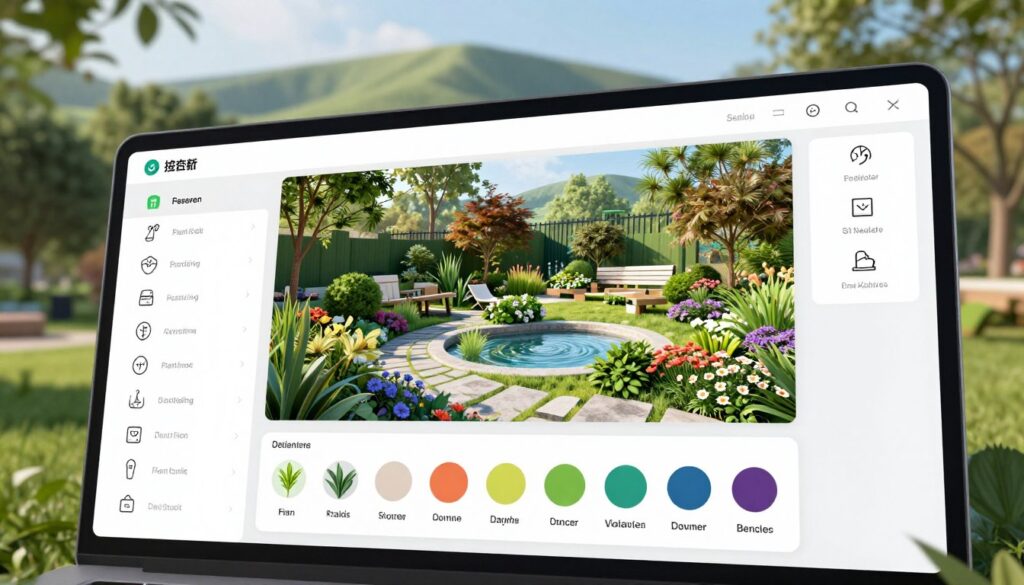
When selecting the right tools for your outdoor projects, understanding key features is essential. The best software options offer a variety of functionalities that enhance your design experience. Here are the most important features to consider:
Extensive Plant and Material Libraries
An extensive plant library is crucial for effective landscape planning. This feature provides accurate information about mature sizes, growth habits, and water requirements. Such details help users select plants that will thrive in their specific climate and space constraints.
Additionally, material libraries should include a wide range of hardscape options. This includes pavers, stone, concrete, and wood decking. Realistic textures and colors help homeowners visualize how different materials will complement their existing outdoor features.
Intuitive Design Tools and Interface
Intuitive design tools set the best options apart from frustrating alternatives. Look for software with drag-and-drop functionality and smart snapping for accurate placement. A clean interface makes the learning curve manageable for users of all skill levels.
3D Visualization and Real-time Rendering
3D visualization capabilities have become a must-have feature. Users should be able to view their designs from any angle and walk through outdoor spaces in virtual reality. Tools like Planner 5D and Realtime Landscaping Pro provide immediate visual feedback as design changes are made, speeding up the iteration process.
Cost Estimation and Project Management Functions
Cost estimation functions are vital for managing budgets effectively. They help calculate material quantities and estimate plant costs based on specified sizes. Additionally, project management features like plant scheduling and automatic labeling save professional designers time and reduce errors when ordering materials.
Lighting simulation tools are also essential. They model sun angles and shadow patterns, aiding users in positioning patios and seating areas optimally for comfort throughout the day.
Lastly, terrain and elevation tools are critical for properties with slopes. These features enable accurate modeling of retaining walls, steps, and drainage solutions, ensuring designs are realistic and functional.
Conclusion
Visualizing your outdoor dreams is now achievable with the right tools at your fingertips. The market for landscape design tools in 2025 offers a wide array of options for every skill level and budget. From free platforms like SketchUp Free to professional-grade solutions like Land FX, there is something for everyone.
Homeowners who invest time in learning these tools often report greater satisfaction with their projects. They make fewer costly mistakes and enjoy better communication with contractors. Combining multiple tools can lead to the best results, using AI for inspiration and more precise software for detailed planning.
Ultimately, the goal of any design tool is to turn ideas into actionable plans. This ensures outdoor spaces are not only beautiful but also functional, allowing families to connect with nature for years to come.